Guide to Leasing Business Computers For New Startups

Quick Summary

Startups need reliable technology, but big upfront hardware costs can eat into cash that’s better spent on growth. Leasing business laptops offers a practical alternative, spreading costs into predictable monthly payments, making it easier to scale as teams grow, and giving employees access to better, more current devices without the risk of them becoming outdated. 

This guide covers why leasing suits early-stage businesses, how to choose the right laptops for different working styles, and the flexible leasing options available through HardSoft.

Introduction

In the beginning, every startup faces the same challenge: doing more with less. Cash is tight and priorities shift quickly. Technology is no exception – yet it’s often one of the biggest upfront costs a new business faces, especially when equipping a growing team with laptops capable of handling modern workloads.

Buying hardware outright ties up capital that could otherwise go toward hiring, marketing, or product development. It also locks a business into devices that may not suit its needs a year or two down the line.

So how can startups get the technology they need without draining their cash reserves?

one payment per month, devices, services and solutions

Common Ways to Finance Business Computers

1. Traditional Purchase

Where you simply buy computers from a supplier and own them outright and fully manage them yourself.

2. Business Loans

A financial sum granted by a bank or third-party finance company to allow you to then purchase computer equipment for yourself. Often comes with rising interest rates.

3. Leasing Business Computers 

Your business does not own the computer hardware assets but can use them for the duration of the lease. Rather than a large one-off payment, leasing offers single monthly payments while gaining access to reliable, business-grade technology.

The equipment is typically treated as an operating expense and may be tax-deductible. As a business grows, adds staff, or changes direction, a lease can often flex to meet evolving requirements, helping preserve cash flow while avoiding the burden of large capital investments. 

4. Contract Hiring Agreement

Similar to a rental. You can use an asset for a specific period and then return it. The equipment is not recorded as an asset or liability of the business. It is merely a rental expense. 

5. Hire Purchase

A hire purchase can feel very similar to a lease since it also helps to spread the cost of equipment out over time. The main difference is that in a Hire Purchase, the payments made previously count towards equipment purchase. 

Leasing vs Buying 

While there are several ways to finance business computers, leasing and buying outright are often the two most commonly compared options for startups and growing businesses. 

Both options have advantages, but they suit different business circumstances.

LeasingBuying
Lower upfront costsHigher upfront investment
Predictable monthly paymentsOne-time capital expenditure
Easier to scale as the business growsAdditional purchases required when expanding 
Option to refresh technology regularlyRisk of hardware becoming outdated
Often includes support and lifecycle servicesResponsibility remains with the business
Can improve cash flow management Full ownership from day one

For startups, preserving cash flow is often more important than immediate ownership. 

Why Leasing Makes Sense for New Startups

Protects Valuable Cash Flow

Most startups operate with limited budgets during their early stages. Anything spent on technology is money that cannot be invested elsewhere, such as:

  • Marketing campaigns
  • Product development
  • Recruitment 
  • Customer acquisition 
  • Business growth initiatives

Leasing means no massive bulk purchases draining your finances all at once, just smaller, manageable payments every month.

Reduce The Operational Burden

Depending on your supplier, leasing business computers usually comes with extra services regarding the management, maintenance, repair, replacement and recycling of your devices. This saves your IT department and staff a lot of time and increases your productivity. 

More Technical Support

Receive support for technical upkeep of devices, help with cyber security software, and replacements if anything goes wrong. Hardsoft includes full 3-year warranties with our leases, complete support packages, and optional accidental breakage cover – we explore this further below. 

Or for an even deeper dive, take a look at our full guide on the benefits of IT support packages

More Management Support

Suppliers like HardSoft can show you how to add all business devices under a single Mobile Device Management (MDM) platform. This allows you to manage devices, deploy apps, enforce security settings, and control how staff use company devices, even when working from home. You also have the ability to remotely secure or wipe devices if they are lost or stolen. 

Choosing the Right Business Laptops for Your Startup 

Not every startup has the same requirements. The right devices depend on how your team works. 

For Office-Based Teams

Look for: 

  • Reliable performance
  • Good battery life
  • Business-grade security 
  • Comfortable keyboards and displays

Popular options include: HP EliteBook,Lenovo ThinkPad, Microsoft Surface 

For Hybrid And Remote Teams

Prioritise:

  • Lightweight designs
  • Long battery life
  • Video conferencing performance
  • Portability 

Popular options include: Apple MacBook Air, Microsoft Surface, Lenovo ThinkPad X1 Carbon

For AI Workloads And Future Growth

As AI tools become more widely adopted, startups should consider devices capable of supporting:

  • AI-enhanced productivity tools
  • Advanced collaboration applications
  • Future software demands and security requirements

Choosing AI-ready hardware today can reduce the need for premature replacements tomorrow. 
one monthly payment for devices, services and software

HardSoft’s Flexible Leasing Options

HardSoft has supported UK businesses to access the right technology for over 40 years, combining flexible finance, expert support and business-grade devices under one roof. We partner with all the leading computer hardware manufacturers in the industry, including Apple, Microsoft, Samsung, Lenovo, HP, Dell, and more. 

Startup growth can be unpredictable, which is why flexibility matters. We offer a range of leasing solutions so you can choose the right balance of cost, support and scalability for your business. 

Flexi 

Our most popular leasing solution for startups and small businesses, Flexi is designed for organisations that expect their technology requirements to evolve over time. 

Key benefits include:

  • Option to change devices after 12 months
  • Add devices at any time as your team grows
  • Three years’ warranty and support 
  • Optional device pre-configuration
  • Optional cover against loss and theft

 Learn more about your options at 12 months

flexi - OWN it, most popular, cancel after 12 months

Pure

Pure is our most cost-effective leasing solution and can be up to 30% more affordable than Flexi, giving businesses access to the same high-quality technology at a significantly lower monthly cost.

Available on:

  • A 3-year term with the option to cancel after 24 months
  • A 5-year term with the option to cancel after 36 months 

Pure also includes:

  • Lifetime warranty and support
  • Optional device pre-configuration
  • Optional cover against loss and theft

For startups focused on preserving cash flow and keeping monthly costs as low as possible, Pure can be an excellent choice. However, businesses expecting significant growth, changing requirements or future hardware upgrades may benefit from the additional flexibility offered by Flexi. 

flexi - Rent it, 25% cheaper than flexi

Devices for Teams

Devices for Teams is designed for larger businesses and ambitious scale-ups that need a fully managed, highly flexible device solution.

It’s particularly well-suited to fast-growing organisations that need the ability to add, switch and return devices as their workforce evolves. 

Key benefits include:

  • Options to change devices at 12 months
  • Add devices whenever required
  • Three years’ warranty and support
  • Device pre-configuration included
  • Optional cover against loss and theft
  • Additional lifecycle and device management services available

Key Takeaways

  • Leasing allows startups to access modern technology without large upfront costs
  • Predictable monthly payments can improve cash flow and budgeting
  • Leasing makes it easier to scale technology as your team grows 
  • Sustainable IT strategies benefit from planned device refreshes and lifecycle management
  • Flexible leasing options help startups adapt to changing business requirements 
  • HardSoft offers device leasing, support, lifecycle services and finance from a single provider

How to Get Started?

  1. Arrange a call with our team to discuss your requirements and the amount of hardware you need.
  1. We can conduct an evaluation of your industry and business objectives to match you with the right devices and the right type of lease.
  1. HardSoft has our own finance arm and a deep understanding of what makes a good business. We have complete autonomy on who we lease to and we are registered with the Financial Conduct Authority. This makes the paperwork minimal and the approval process very rapid. We handle all of the administration and paperwork in the background through a streamlined process. You’ll be surprised at how quickly you receive your hardware and how little you had to do.
  1. We can install or remotely deploy your hardware fully configured and ready to go.
  1. We’ll be in contact throughout the lease to offer tech support, management support and strategic support to help you get the best from your devices.

AI Processor Showdown 2025: NVIDIA DGX vs Intel Core Ultra vs Snapdragon X Elite

Introduction: Why AI-Ready Chips Matter

The AI revolution is reshaping business operations—from creative content production to advanced data science. Choosing the right processor is critical for performance and scalability. In 2025, NVIDIA, Intel, and Qualcomm (via Snapdragon) lead the race with cutting-edge chips optimised for AI workloads. This guide compares their strengths and shows how HardSoft’s flexible leasing makes premium AI hardware accessible.

Comparison Table: Key Specs

FeatureNVIDIA DGX SparkIntel Core Ultra 9 185HSnapdragon X Elite
ArchitectureGrace Blackwell (ARM + GPU)Hybrid x86 (6P + 8E cores)12-core Oryon (ARM)
AI PerformanceUp to 1 PFLOP (FP4)~36 TOPS (NPU)45 TOPS (NPU)
Memory128GB LPDDR5x UnifiedUp to 96GB LPDDR5Up to 64GB LPDDR5x
GraphicsBlackwell GPU (6,144 CUDA)Intel Arc IntegratedAdreno X1 (4.6 TFLOPS)
Power EfficiencyHigh (enterprise)Balanced (workstation)Exceptional (ultraportable)
Target UseAI dev, researchCreative pros, businessMobile AI, battery life

NVIDIA DGX: The AI Powerhouse

The NVIDIA DGX Spark delivers up to 1 petaFLOP of AI performance, ideal for deep learning and enterprise-scale inference. With 128GB unified memory and advanced connectivity, it’s perfect for AI developers and research teams.

Intel Core Ultra 9: Balanced Performance

The Intel Core Ultra 9 185H combines hybrid architecture with an integrated NPU for AI acceleration. Supporting up to 96GB RAM, it’s a versatile choice for creative professionals and SMEs.

Snapdragon X Elite: ARM-Based Efficiency

  • Enterprise AI & Research: Choose NVIDIA DGX Spark Supercomputer for unmatched compute.
  • Creative Professionals: Intel Core Ultra 9 offers balanced performance.
  • Mobile AI & Battery Life: Snapdragon X Elite leads in efficiency.
NVIDIA DGX vs Intel Core Ultra vs Snapdragon X Elite

Which Chip is Best for Your Business?

  • Enterprise AI & Research: Choose NVIDIA DGX Spark for unmatched compute.
  • Creative Professionals: Intel Core Ultra 9 offers balanced performance.
  • Mobile AI & Battery Life: Snapdragon X Elite leads in efficiency.

HardSoft Leasing Options

Explore AI-ready device leasing with HardSoft:

  • Flexible terms and predictable costs
  • All-inclusive support and sustainability programmes
  • Upgrade or scale as your business grows
one payment per month

Key Takeaways

  • NVIDIA DGX Spark: Enterprise-grade AI performance
  • Intel Core Ultra 9: Ideal for creative workflows
  • Snapdragon X Elite: Best for mobile-first teams

Best Devices for Content Creators in 2025

Quick Summary

Choosing the best device for content creation in 2025 can be challenging as creative tools become more demanding. This guide helps you match your workflow to the correct device, whether you’re a video editor, photographer, designer, illustrator, marketer, or social media creator.

Who This Guide Is For

This guide is ideal for content creators working with video, photography, design, illustration, audio or social media; agencies equipping teams with scalable creative tech; and freelancers who need high-performance devices without high upfront costs.

What to Look for in a Creator Device in 2025

  • High-performance CPU, GPU, and NPU (minimum: Intel Core Ultra or Apple M5, NVIDIA RTX 2000 Ada or higher, Apple Neural Engine, or equivalent)
  • At least 16GB RAM (32GB+ recommended for 4K/8K video editing)
  • Fast NVMe SSD storage (512GB minimum)
  • Colour-accurate displays (DCI-P3 or 100% sRGB coverage)
  • Long battery life for portability
  • Robust build quality for frequent travel
  • Multiple ports for accessories and external drives

Best Laptops for Video Editing

1. MacBook Pro 16″ (M5 Max) – Extreme GPU performance with Apple ProRes acceleration, XDR HDR display, and up to 22 hours battery life. Ideal for professional video editors who need seamless 4K/8K editing and long battery life on the go. Lease it here: MacBook Pro Leasing.

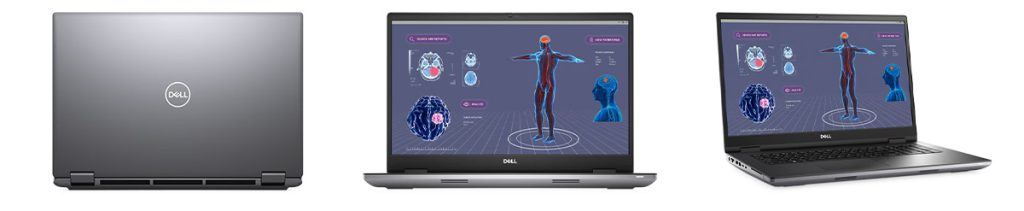
2. Dell Precision 7780 – NVIDIA RTX 5000 Ada GPU, 17″ UHD display, ISV-certified for Adobe workflows. Perfect for studios needing certified reliability and top-tier graphics for demanding editing tasks. Lease it here: Dell Precision Leasing.

Precision 7780 Workstation

Best Laptops for Photography & Graphics

1. MacBook Pro 14″ (M5) – DCI-P3 display, top-tier performance for Lightroom, Photoshop, Illustrator, and Figma. Great for photographers and designers who need accurate colour and fast processing. Lease it here: MacBook Pro Leasing.

2. Microsoft Surface Laptop Studio 2 – Unique hinge for drawing, NVIDIA RTX 2000 Ada GPU options. Excellent for illustrators and graphic designers who want a versatile device for both sketching and editing. Lease it here: Surface Laptop Leasing.

3. Lenovo ThinkPad P1 Gen 7 – ISV-certified, professional-grade display, strong build. Suited for professionals who need reliability and a robust device for heavy creative workloads. Lease it here: Lenovo ThinkPad Leasing.

Best Laptops for Marketers & Content Managers

1. MacBook Air M5 – Lightweight (1.24kg), 13.6″ Liquid Retina display, up to 18 hours battery life. Perfect for marketers who need portability and all-day battery for working anywhere. Lease it here: MacBook Air Leasing.

2. Dell Latitude 9440 – 14″ QHD+ display, ultra-portable, excellent multitasking with Intel Core Ultra CPUs. Ideal for content managers who juggle multiple apps and need a reliable, portable device. Lease it here: Dell Latitude Leasing.

3. Lenovo ThinkPad X1 Carbon Gen 11 – 14″ WUXGA display, Dolby Audio speakers, ideal for hybrid work. Great for professionals balancing remote and office work. Lease it here: Lenovo X1 Leasing.

Best Tablets for Designers & Social Creators

1. iPad Pro M5 with Apple Pencil Pro – 120Hz ProMotion, wide colour accuracy. The go-to for designers and illustrators who want a responsive, portable drawing experience. Lease here: Apple iPad Leasing.

2. Wacom Cintiq Pro – Elite pen precision, perfect for illustration. Best for artists who need the highest pen accuracy and a large creative workspace. Lease here: Wacom Leasing.

Wacom tablets

3. Samsung Galaxy Tab S10 Ultra – AMOLED display, strong for Adobe apps. Excellent for creators who want Android flexibility and vibrant visuals. Lease here: Samsung Tab Leasing.

Mobile-First Creators: Smartphones

  • iPhone 16 Pro – Delivers pro-level camera features, advanced video editing, and seamless integration with Apple’s creative ecosystem. Lease here: iPhone Leasing.
  • Samsung Galaxy S25 Ultra – Offers a powerful camera system, S Pen support, and robust editing tools for creators on the move. Lease here: Samsung Galaxy Leasing.
  • Google Pixel 10 Pro – Implements Google Gemini AI for on-device editing, real-time enhancements, and smart photo tools, making it perfect for creators who need to edit and share content instantly. Lease here: Pixel Leasing.

Creator Bundles You Can Lease

If you’re a content creator, designer, or video editor looking for high-performance Apple devices without the upfront cost, leasing is the smartest way to go. HardSoft offers flexible leasing solutions that combine cutting-edge hardware with unbeatable support, making it easier than ever to scale your creative workflow.

Lease the Apple Studio Ultra Bundle and unlock the ultimate creative workstation. This bundle includes:

  • Apple Mac Studio M3 Ultra – Featuring a 28-core CPU, 60-core GPU, and 96GB unified memory for extreme performance.
  • Alogic Clarity 5K Touchscreen Display – Stunning 27-inch 5K resolution for pixel-perfect editing and design.
  • Alogic Echelon Wireless Keyboard & Mouse – Sleek, ergonomic accessories for a clutter-free workspace.
  • FREE SafeGuard Protection – Covers theft, fire, flood, and accidental damage for peace of mind.
safeguard protection - theft and accidental damage protection

With Flexi-Lease, you can upgrade, continue, or cancel after 12 months, plus enjoy 3 years of support and loan devices. Starting from £48 per week, this bundle is perfect for professionals handling demanding workflows like 4K/8K video editing, 3D rendering, and AI-driven creative tasks.

MacBook ProArt 5K Offer

Lease the MacBook ProArt 5K Offer for a portable yet powerful creative setup. This bundle includes:

  • MacBook Pro 14-inch M4 Max – Equipped with 36GB RAM and 1TB SSD for lightning-fast performance.
  • Asus ProArt 27-inch 5K Display – Exceptional color accuracy and clarity for design and video production.
  • Apple Magic Keyboard & Magic Mouse – Seamless integration for a professional workflow.
  • FREE Safeguard Protection – Comprehensive coverage for accidental damage and theft.

Starting at £37.45 per week, this bundle is ideal for creators who need mobility without sacrificing power. Whether you’re editing videos, designing graphics, or coding complex projects, this setup delivers unmatched speed and precision.

Why Lease Instead of Buy?

Leasing offers predictable monthly costs, flexible upgrades, and built-in support, making it the perfect solution for freelancers, agencies, and creative teams. With HardSoft’s Flexi-Lease, you can stay ahead of technology trends without the financial strain of ownership.

Buying vs Leasing for Creative Teams

Leasing avoids upfront costs, offers predictable budgets, flexible upgrades, built-in support, and sustainable lifecycle management. Learn more: Buying vs Leasing Computers for Business.

Next Steps

Talk to a Creative Tech Specialist or explore Mac, PC & Tablet Leasing on HardSoft.

Buying vs Renting IT Equipment for Remote Workers

With the rise of remote work, businesses are re-evaluating their approaches to equipping their remote workforce. Instead of purchasing computer equipment outright, an alternative option gaining popularity is computer device leasing or renting.

Advantages Of Leasing Or Renting IT Equipment Over Buying

OpEx vs. CapEx: Operating Lease for Tax Purposes

When businesses purchase equipment, it typically falls under capital expenditure (CapEx), requiring upfront investment.

However, with computer device leasing, some arrangements are considered an operating lease for tax purposes. This means that the leasing costs classify as operating expenses (OpEx), that business owners deduct as a business expense. By shifting from a CapEx to OpEx model, businesses can allocate their financial resources more efficiently. DaaS (Device as a Service) is one such leasing model that is an OpEx for tax purposes.

Tax Benefits and Monthly Payments

Renting computer equipment offers tax benefits through its monthly payment structure. As the lease payments are made monthly, businesses can claim tax benefits continuously over the duration of the lease. This provides financial flexibility and can help manage cash flow more effectively compared to a one-time purchase. By spreading out the expenses over time, businesses can optimise their budgeting.

Auto Upgrades and No Obsolescence in DaaS Leases

Device as a Service (DaaS) style leases provide an additional advantage – auto upgrades and protection against obsolescence. With rapid advancements in technology, computer equipment can quickly become outdated, resulting in decreased efficiency and productivity.

However, with a DaaS lease like a Devices For Teams package, businesses can ensure that their remote workers will always have access to up-to-date equipment.

These leases often include provisions for regular hardware upgrades, enabling employees to enjoy the latest technology without additional costs or concerns about device obsolescence.

Choice of Lease Styles

When opting for computer device leasing, businesses have various lease styles to choose from based on their requirements. They can opt for purely renting, allowing them to have access to the equipment without the intention of ownership.

Alternatively, businesses can choose a lease structure that gradually works towards ownership, allowing them to eventually own the equipment at the end of the lease term.

The flexibility of lease styles enables businesses to align their leasing arrangements with their long-term goals and financial strategies.

DaaS style leases are becoming the most popular owing to all the extra support and IT services. Devices For Teams is a one-stop-shop for all business IT needs, including insurance, MDM management and cyber security.

Reduced Risk of Misclassification

Classification of freelancers is a critical consideration for businesses. Using company-owned equipment for contractors can potentially lead to misclassification issues, as it may blur the line between an independent contractor and an employee.

By renting equipment, the lease provider retains ownership, reducing the risk of misclassification. As the freelancer is not using company-owned equipment, and the rental expense can be treated as a business expense, the risk of misclassification is significantly mitigated. Renting equipment provides a clear separation between the business and contractors, helping businesses maintain compliance and avoid potential legal complications.

IT Support Services

In addition to the benefits of computer device leasing, it is crucial to consider the IT support services offered by a leasing provider like Devices For Teams. We provide comprehensive support services, including device setup, maintenance, and technical assistance. Having access to reliable IT support ensures that remote workers can address any hardware or software issues promptly.

Renting computer equipment for remote workers offers numerous advantages over traditional purchasing models. It improves cash flow, boosts productivity, and minimises operational chores for your business.

Do You Need Protective Cover to Lease Business PCs?

Ensuring the protection of your computer hardware is of paramount importance.

Therefore, when it comes to leasing, buying, or managing business PCs, it is important that they are properly protected. So, yes, you should acquire asset protection cover for your leased business PCs.

While it is a sensible idea to protect your business PCs, (and it is also quite often a legal requirement), companies can face some challenges when to comes to finding affordable and suitable cover.

Let’s analyse some of these challenges and provide a Hardsoft solution, but first, let’s be certain that everyone properly understands the vital nature of protective cover for business PCs.

Getting Cover for Expensive Equipment Is ALWAYS A Good Idea

Getting asset protective cover expensive equipment is a smart idea.

This is actually the case for most valuable equipment inside and outside of a business. Even as an individual, it is a smart idea to get cover for expensive items, especially those such as your computer, smartphone, or fridge. These items are expensive and if they become damaged or stolen, cover will help recoup your losses.

In a business, it is even more important to get cover for equipment. You are likely to have many expensive electrical devices. In the case of PCs, they could be used by various staff. If they are laptops, they might even be sent to a staff member’s home.

There are a lot of things that can happen inside and outside of the office that could cause the loss or damage of your business assets.

The Importance of Insurance for Business PCs

Legal Compliance:

From a legal standpoint, having coverage for leased business PCs helps meet certain contractual obligations. Some leasing agreements often require your business to maintain cover to protect the equipment against damage, theft, or loss. This could be a requirement of your office building lease, or legally established by your CEO or board of directors.

Financial Protection:

Getting cover for your leased business PCs safeguards you from potentially substantial financial losses. Accidents can happen unexpectedly, and without cover, the costs of repairing or replacing damaged equipment can be a significant burden on your business budget. Asset protective coverage provides financial protection, ensuring that you can quickly recover from such incidents.

Mitigating Risks:

Leased business PCs are susceptible to a range of risks, including accidental damage, theft, power surges, and natural disasters. Cover helps mitigate these risks, giving you peace of mind and allowing you to focus on your core business operations.

Challenges in Insuring Business PCs

Cost:

Getting cover for computer hardware in bulk can be very expensive. Surprisingly, few third-party companies have decent packages in place tailored to the needs of different sized businesses when it comes to covering a fleet of devices. It can become even more financially complex when you add individual devices to an existing fleet. High premiums can strain your resources.

Time-Consuming Process:

The administrative process of acquiring the cover can be time-consuming. Engaging with third-party providers often means navigating complex policies.

Limited Coverage and Exclusions:

It is essential to carefully review cover policies to understand the extent of coverage provided. Some policies may exclude specific types of damage or limit coverage for certain scenarios, leaving you vulnerable to potential losses.

Claims Handling:

While cover is intended to offer protection, the claims process can sometimes be challenging. Third-party companies may attempt to avoid paying claims or delay the process, causing frustration and potentially hampering your business operations.

safeguard protection and some laptops

Solving The Challenges With SafeGuard By Hardsoft

Luckily, Hardsoft has created one of the best options for business PC coverage on the market. Our product SafeGuard aims to make the protection of business PCs easy and faff-free.

This product can be added to your Devices For Teams computer lease. SafeGuard provides the best protection at affordable prices, and is one of the most cost-effective and competitively priced options for business computer protective cover on the market.

It is incredibly simple in one comprehensive invoice for your whole fleet at reasonable rates. Not only that, but SafeGuard is also very fast to set up. Since you receive the cover product from the same provider as your equipment and other IT services, there are no extra parties involved, which speeds up the entire process.

SafeGuard protects against theft, accidental damage, spills, fire, and flood. Plus, as well as covering devices you receive from HardSoft as part of your lease, you can also cover devices you already own with SafeGuard.

What is the Difference Between a Business Laptop and a Home Laptop?

Business-grade laptop models are very different from consumer devices.

When it comes to choosing a laptop, it’s important to understand that business laptops and home laptops serve distinct purposes. While both may share some similarities, there are significant variations in their features and specifications.

In this article, we will explore the key differences between a business laptop and a home laptop and why all companies, even small businesses and sole traders, should lease business-grade equipment.

Cybersecurity

This is one of the most crucial differences between business and home laptops. Most business laptops come with added in-built security features to protect your business data.

Business laptops offer heightened security measures to counteract potential threats, ensuring that critical business information remains secure.

In the realm of cybersecurity, business laptops prioritise enhanced protection to safeguard sensitive data and intellectual property.

They often come equipped with advanced security features such as biometric authentication, TPM (Trusted Platform Module) chips, and encryption capabilities.

two laptops, one secure, one not secure. two logos, work, and business either side.

Durability and Repairability

Business laptops withstand the rigours of daily use and are built with sturdier materials compared to home laptops. They undergo rigorous testing to meet higher durability standards, making them more resistant to impacts, spills, and other accidents.

Additionally, business laptops often feature modular designs, allowing for easier repairs and component replacements, thereby minimising downtime.

Green Credentials

Everyone is more aware of sustainable living, but businesses are often held to stricter legal standards and benchmarks.

Businesses are, therefore, increasingly conscious of their environmental impact. Many business laptops are certified with energy-efficient ratings such as ENERGY STAR, EPEAT, or TCO.

These laptops consume less power, reduce your carbon footprint, and adhere to environmentally friendly manufacturing processes, aligning with sustainability initiatives pursued by businesses.

End users are also slowly becoming more environmentally aware, and we are starting to see greener builds on home laptops too. That being said, this is not to the same extent as business laptops and not as carefully certified.

Power and Speed

Business laptops often feature more powerful processors and greater memory capacity to handle resource-intensive tasks efficiently. This is vital for demanding applications such as data analysis, virtualisation, and complex software simulations.

The enhanced processing power and memory allow businesses to run multiple applications simultaneously, ensuring smooth and uninterrupted workflow.

two laptops, one powerful, one good. home and business icons either side

Software and Compatibility

Business laptops support a wide range of software and applications commonly used in various industries.

They offer seamless integration with enterprise-grade software, collaboration tools, and cloud-based services.

Business laptops ensure compatibility, enabling employees to work efficiently and access necessary tools and resources with ease.

High-Quality Visuals

For industries involving graphic design, video editing, and content creation, high-quality visuals are essential.

Business laptops often feature high-resolution displays with accurate colour reproduction, allowing professionals to work with precision and deliver visually stunning results. The vibrant and accurate colour representation enables designers and creatives to showcase their work accurately.

Visuals are better on home devices as more people are streaming and watching media on their home laptops, however, the standard will still be much higher on a business device designed for a creative and visual industry.

Collaboration Tools

Business laptops have advanced camera, speaker, and microphone systems to facilitate remote collaborations and video conferencing.

The emphasis on clear audio and video quality enhances communication and productivity, ensuring seamless virtual meetings and collaborations across teams and geographical locations.

Cameras on home laptops are not always HD and the microphones and speakers are much cheaper. However, you can buy superior headsets and cameras that attach to your computer that could be better than in-built options.

laptops side by side, one has one person on it, another has 3. beside them are briefcase and home icons

Storage and Solid-State Drives (SSDs)

Business laptops typically offer larger storage capacities to accommodate extensive files, databases, and software installations.

SSDs, commonly found in business laptops, provide faster data access, quicker boot times, and improved overall system performance. This enables faster file transfers, reduced loading times, and improved productivity for business users.

However, more home laptops come with SSDs these days and you can ask to view only SSD computers when buying your home laptop. Not all business laptops have an SSD.

With more people and businesses using the cloud for data storage and sharing, you might notice that even business laptops come with less in-built storage space. It is very important to pay attention to the storage capacity of any laptop that you buy for work or home to ensure it meets your needs.

Price Considerations

The price of business laptops is slightly higher due to their advanced features, durability, and performance capabilities.

While the initial investment may be higher, business laptops offer long-term value, improved productivity, and durability, making them a worthwhile investment for businesses. All business laptops might be pricier than home laptops, but you can still find affordable business laptops if you work with a knowledgeable device leader.

CPUs and GPUs

Business laptops often feature more powerful CPUs and dedicated graphics processors (GPUs) to handle intensive computing tasks. The enhanced processing capabilities allow for efficient multitasking, rendering complex graphics, and running specialised software required by specific industries.

The Importance of Leasing Business-Grade Hardware

Business owners should understand the value of investing in business-grade laptops rather than opting for consumer-grade laptops intended for general use.

While it may be tempting to save costs, the enhanced features and specifications of business-grade laptops play a pivotal role in ensuring durability, performance, and security.

Business-grade laptops withstand the demands of professional use, offering greater longevity and reliability compared to their consumer counterparts.

The robust build quality, advanced security features, and optimised performance of business-grade laptops provide a solid foundation for businesses to thrive, safeguard sensitive data, and maintain uninterrupted productivity.

By leasing business-grade hardware, businesses can access top-of-the-line laptops tailored to their specific needs, maximising their investment, and avoiding potential issues associated with consumer-grade devices.

What is Microsoft 365 Copilot?

Artificial Intelligence (AI) has existed for decades, but its recent surge in popularity is unprecedented, leading to innovative new software such as Microsoft 365 Copilot. With technological advancements, AI has become more accessible and efficient, integrating into various industries and daily life.

One of the most popular AI services is ChatGPT, a large language model developed by OpenAI, which understands natural language and generates human-like responses.

While AI revolutionises many businesses and industries, concerns about its impact on employment and privacy persist. These concerns are valid, but AI undeniably resolves numerous efficiency issues and streamlines workflow processes. Recognising this potential, Microsoft developed an AI service called Copilot, now integrated into Microsoft 365 apps.

Let’s explore the exciting world of Microsoft 365 Copilot!

What is Microsoft 365 Copilot?

Microsoft Copilot is a new AI digital assistant developed with ChatGPT version 4 and Microsoft Graphs. Integrated into Microsoft 365, Copilot provides businesses with a powerful AI solution that inherits all their valuable security, compliance, and privacy policies and processes. Copilot is a trusted AI assistant that streamlines workflows without compromising security and privacy.

Copilot integrates into Microsoft 365 in two ways. Firstly, it embeds in the Microsoft 365 apps you use daily, including Word, Excel, PowerPoint, Outlook, Teams, and more. This integration helps users unleash creativity, boost productivity, and improve skills, making it easier to complete tasks and achieve goals.

Secondly, Business Chat works across all your business data and apps, including your calendar, emails, chats, documents, meetings, and contacts. It uses natural language prompts to generate status updates, simplifying team communication and ensuring everyone stays on the same page.

Business Chat also surfaces essential information and insights from vast data, promoting knowledge flow across the organisation and saving valuable time. Access Business Chat from Microsoft365.com, Bing when signed in with your work account, or Teams.

copilot logo and text

How do you use Microsoft 365 Copilot?

Now that you know Microsoft Copilot is a productivity game-changer, how do you use this innovative integration? Here’s how Copilot can improve your workflow.

To start, select the Copilot icon from your chosen Microsoft 365 app’s ribbon menu. A sidebar appears where you can enter your desired action (such as “write a first draft” or “send an email”) and receive Copilot’s recommendations. Copilot makes it easy to use the many commands available in Microsoft 365, regardless of your experience with the software.

In Word, Copilot jump-starts your creative process. You’ll never start with a blank slate again. Copilot provides a first draft to edit and build upon, saving hours of writing, sourcing, and editing time. Sometimes Copilot will be right, other times usefully wrong — but it always propels you forward. You control the content, driving your unique ideas and prompting Copilot to shorten, rewrite, or give feedback.

In PowerPoint, Copilot creates stunning presentations with a simple prompt, adding relevant content from a document you made last week or last year. Or, if you want to streamline your work in Excel, Copilot analyses trends and creates professional-looking data visualisations in seconds.

In Outlook, Copilot summarises long email threads, quickly drafts suggested replies, and clears your inbox in minutes, not hours. If you’re too busy to answer an email, ask Copilot to write a response. It understands the context and generates the reply; all you need to do is read and hit send.

Microsoft Copilot also extends to Power Platform, allowing anyone to automate repetitive tasks, create chatbots, and go from idea to working app in minutes.

Microsoft Copilot enhances your strengths and lets you quickly master new skills. It unlocks rich functionality using natural language, so you can focus on your ideas instead of the software.

Conclusion

Microsoft 365 Copilot is a game-changing AI digital assistant that significantly boosts productivity and efficiency in most workplaces. Integrated into Microsoft 365, Copilot helps you master new skills quickly and focus on your creativity, leaving tedious tasks to the AI assistant. Whether using Word, Excel, PowerPoint, Outlook, Teams, or any other 365 app, Microsoft 365 Copilot is there to assist. If you’re seeking an innovative solution to boost productivity, Microsoft 365 Copilot is your answer.

The Importance of Regular Device Upgrades

Regularly upgrading IT devices is far more crucial in a business setting than when it is your home laptop.

While repairing and repurposing is important for the environment, business hardware must stay relevant and deliver a competitive edge.

The rise of remote work has amplified the importance of robust device security programmes for organisations. Upgrading devices every handful of years can ensure that they are compatible with the latest business-grade cybersecurity technology.

Yet, regularly updating hardware and software is not just about enhancing security. It actually encompasses several other advantages as well, including optimising employee experience and staying competitive in the market.

How Often Should You Upgrade A Business Laptop?

The frequency of device upgrades depends on various factors, such as the type of equipment, whether it’s personal or business-related, and the specific model.

Business devices are built with robustness in mind, ensuring durability and fewer issues compared to personal devices. However, personal devices tend to be held onto for longer periods of time because it matters less if these devices are working at peak performance.

Ideally, business equipment should be refreshed every 3-5 years due to heavier use, the need to stay ahead in the competitive landscape, and security compatibility concerns.

On the other hand, desktops generally last longer than laptops, thanks to their larger size, accessible replaceable parts, and superior cooling systems.

It isn’t just whether the device is a laptop, desktop, tablet, or smartphone that affects how frequently you need to upgrade. It is also down to the make and model.

For instance, Apple devices tend to have longer lifespans, with software and operating system updates supported for several years, even for vintage machines.

It takes approximately 7 years for an Apple device to become obsolete.

PCs, on the other hand, offer greater repairability options.

Additionally, the longevity of a device is influenced by its initial specifications, including speed, power, and cost. Industries that require the latest technology advancements may necessitate more frequent upgrades to powerful models.

Why Regular Device Upgrades Matter

Staying Ahead in the Digital Era

The latest tech brings faster and more powerful laptops with new functionality and abilities. This can provide an advantage in the digital era of competition between businesses. Regular upgrades can actually result in keeping an edge over the competition and, therefore, drive superior profits.

Enhancing Security: A Paramount Concern

Outdated technology poses significant security risks in the business world. Companies must prioritise staying up to date to protect against cyber attacks.

Running old operating systems, that no longer receive patches, leaves systems vulnerable to exploitation.

In fact, more than four in 10 organisations in the US are using outdated technology and they experience nearly 50% more financial losses during data breaches compared to those with updated software and hardware, as revealed by a recent Kaspersky report.

Outdated equipment may lack access to the latest security features, such as advanced encryption standards and biometric authentication methods like fingerprint scans. Updating devices to the latest models with robust security features becomes imperative in minimising security risks.

Maximising Productivity: The Key to Success

Ensuring optimal productivity among employees is a shared goal for employers and staff alike.

Slow and outdated devices not only hinder productivity but also have a negative impact on employee morale.

According to an article by Work Place Insight.net citing research by Curry’s PC World, just booting up a computer wastes 8.8 days of work time per year for the average British worker, costing businesses approximately £1,009 per employee annually.

Waiting for outdated systems to start, coupled with unexpected crashes and data loss, results in significant time wastage.

The report also cited other worrying consequences of outdated tech in the business sphere, including:

Providing employees with fast and responsive hardware and software fosters satisfaction, reduces frustration, and boosts overall productivity.

How Can You Regularly Upgrade Your Device Without Purchasing All New Equipment Every 3 Years?

When you lease your computer equipment in a DaaS (Device as a Service) style solution like Devices For Teams, your lease includes automatic upgrades to the latest technology. These upgrades are built into your lease, and you can be automatically swapped to the latest tech when it becomes available. Not only that, but Devices For Teams can advise your business and pair you with the most suitable devices for each department and staff member role. You don’t have to worry about a big expenditure every three years, since you pay in smaller, manageable amounts each month as part of your subscription.

SafeGuard: Affordable Protection for Business IT

SafeGuard is a specialist type of asset protection for businesses’ IT hardware.

It has been developed specifically to meet the necessities of companies who are bulk leasing IT equipment.

Do Businesses Really Need Asset Protection?

Imagine the moment when a power surge fries your servers overnight, rendering your vital data inaccessible. Picture the chaos that ensues when a sudden flood inundates your office, drowning not only your valuable hardware but also your dreams of uninterrupted operations. These scenarios might sound extreme, but they happen to businesses all the time.

Without proper insurance coverage, they could become expensive realities for your company.

Asset protection for business IT isn’t just a precaution; it’s the armour that shields your operations against unforeseen disasters. Insurance provides peace of mind and quick, inexpensive resolutions when things go wrong.

According to claims by Aviva Risk Management Solutions, which refer to data they have garnered from the Government’s Business populations estimates report for 2021; “10% of SMEs wouldn’t survive if they had to pay up to £10,000 towards a claim that wasn’t fully covered by insurance.” That equates to more than half a million businesses.

Why Do Businesses need Computer Hardware Insurance?

Insuring office products can sometimes feel like one of those unnecessary cost burdens. To you as a manager, CEO, or CFO, when everything is running well, it seems unnecessary. It psychologically feels like paying for an unreal eventuality.

However, while you can occasionally risk rolling the dice on insurance for cheaper products when it comes to expensive equipment that your staff require to do their jobs, insurance is a necessity.

Everyone in your firm is likely to require their desktop, laptop or tablet, and smartphone to perform their job adequately. Whether their job is creating a product, shipping and logistics, providing a service, marketing, or even merely communication and collaboration, the business world is now a digital animal. We use digital tools in almost everything we do, so computer equipment is essential.

This essential nature should be the first clue that insurance is not something you cannot take lightly.

The second clue is that business-grade computer equipment is not cheap. It is still a substantial investment. When you are looking at hardware in bulk, it becomes an even bigger investment.

Like all things, computers can break, and accidents can happen. It can affect one device or many at once, depending on the situation. This could not only be very costly to replace, but also, the downtime incurred by the company could be significant too, which means you are losing money in two ways.

It is, therefore, vital that businesses have adequate insurance for their computer equipment.

What Type Of Protection Will SafeGuard Offer Business IT?

Hardsoft has created SafeGuard to match the requirements of our clients. It has been carefully crafted to ensure it provides adequate protection against all likely eventualities.

SafeGuard can insure your IT fleet against:

  • Theft – by internal or external forces (e.g., theft by staff or by break-ins from outside parties)
  • Accidental damage (this includes spillages on devices or hardware being dropped accidentally)
  • Fires
  • Floods
  • Storms
  • Vandalism
  • Electrical disturbances
  • Objects falling onto devices

This is highly comprehensive cover compared to many other options on the market.

Many times, businesses will find that there is excessive fine print on insurance policies. This will often result in not being covered for a whole raft of normal incidents. It helps insurance companies to make a profit if they can wheedle out of paying at the time of a claim. This is a very common eventuality with third-party insurance companies. Yet Hardsoft is not an insurance company or a third party.

Hardsoft is a computer equipment lease provider and have built an insurance solution so that clients don’t have to shop around with third-party insurers.

Not only does this make everything much more efficient and straightforward for our clients since it cuts out going through a third party, but it also means that the cover is comprehensive with no tricks or jargon. We want to help you keep equipment safe and your business running smoothly.

However, comprehensive, intuitive cover, is not the only advantage of choosing SafeGuard. Its biggest claim to fame is how affordable it is.

Is SafeGuard Truly A Cost-Effective Option For Device Insurance?

Yes, it is, and for the same reason that it manages to be such comprehensive cover. Since we are not a third-party company that is merely offering insurance alone, our interest is not to make high profits on the insurance cover.

Our goal is to provide a truly all-in-one IT solution for our clients, which includes insurance, the IT hardware itself, the finance of your lease for that equipment, as well as repair, support, maintenance, management, customisable solutions, MDM, data backup, carbon offsetting and more.

Our objective is a full IT service that is simple and straightforward with no third parties. Owing to this, our SafeGuard insurance is extremely affordable and scalable with your lease compared to other options on the market, and this has made it extremely popular and gained us many new SafeGuard clients.

Rising inflation is resulting in businesses being squeezed tighter than ever when it comes to your budgets. While many CEOs are looking to make cuts and trim the fat on unnecessary expenditures, one feature you should never skip is computer hardware insurance.

Other Benefits Of SafeGuard

Easily Scalable

Luckily, SafeGuard will aid businesses on a variety of budgets to effectively insure their computer equipment regardless of the size of your hardware lease. It will also be easily flexible to add insurance as your number of devices fluctuates with your needs. SafeGuard was designed to work with leasing styles like DaaS, which are highly customisable and change the number of devices leased, according to your actual business requirements.

Contact your Hardsoft, or your Devices For Teams account manager to get a quote for SafeGuard tailored to your equipment lease.

Ideal For Businesses With Remote Workers

Another major benefit to remember about SafeGuard, beyond its affordable price, is that we are fully able to insure devices even if they are with WFH staff or remote staff working abroad. So, if your remote, freelance digital nomad disappears with the business laptop you gave them, we have you covered.

Keeps You Running Smoothly & Productively

If your computer is stolen, Hardsoft will replace it with lightning speed. If a device has suffered accidental damage, Hardsoft are swift to arrange collection and complete a rapid turnaround on repairs. Best of all your team will be given a replacement temporary device while you await repairs.

How to Ensure your 365 Data is Backed Up

Microsoft 365 permeates the business world, and its tools are among the most widely used in offices globally. Yet, unbeknownst to many companies is the fact that Microsoft 365 does not come with in-built data backup procedures.

Microsoft is a sophisticated family of programmes that allows you to create, communicate, present, and much more with tools such as Outlook, Word, Excel, PowerPoint, Teams, One Drive and SharePoint.

Owing to the fact that Microsoft does house document-sharing software like SharePoint and OneDrive, many businesses mistakenly believe that all their files and data across Microsoft 365 are sufficiently backed up and safe. However, this is not the case as Microsoft was never designed for data protection and recovery in the same way as a dedicated cloud data backup system will be.

The result is that business data, client data, financial data and any important documents could be at risk in your company if you don’t have some type of data protection beyond Microsoft 365.

Why Does It Matter That Microsoft 365 Doesn’t Back Up Your Business Data?

Well, while you or your staff may not often think about it, businesses without appropriate backups for their data are open to many vulnerabilities.

Accidentally delete a file that you think you didn’t need anymore and days later realise it had crucial information? With Microsoft 365 and no data backup solution, that information is lost completely.

Office server malfunction? Sadly, all that work is lost. Hours of productivity down the drain.

Ex-staff members, who retained access, maliciously deleted data? Unfortunately, it is simply gone and there is no way to retrieve it if you don’t invest in data backups.

For personal use, losing the odd file may not be that dire, but for a business, it can be a catastrophe. It can lose you money and clients and can even get you into legal trouble if you were responsible for important client data. Depending on your industry and services, the consequences of lost data could be financially and legally severe. At the very least, it can waste a lot of time for businesses.

Office 365 Is Not Alone In This Vulnerability

This vulnerability is not simply a quirk or error of Microsoft 365. They have never claimed to carry out data protection and it has always been clear that this would be the responsibility of the company to arrange its own data protection solutions.

This is fairly standard practice for a collection of business tools that aren’t anything to do with data protection. Office 365 is not alone in this.

SAGE software is also a commonly seen entity of many businesses the world over. This software isn’t just for collaboration and creating content, but rather actual financial data. SAGE deals with payroll, accounting, and business financial tracking and solution. Yet again, this is not data protection software. Despite the fact that it handles delicate financial information and bookkeeping that would be incredibly frustrating or even damaging to lose, it does not significantly backup this data. It can be easily lost.

If companies want to adequately protect their files and data, they require a dedicated data protection and backup system.

The Solution Is For Businesses To Utilise Cloud Data Backup Systems

The only way to ensure that your files don’t fall victim to accidental deletion, malicious deletion, malware, natural disaster, or server errors is to invest in cloud data backup systems.

Now, businesses can also try local backup with external extra hard drives or backup onto their shared servers. The weaknesses of this are that cloud data backup offers data protection offsite. If you had a flood, or a large disaster that affected your entire office, then local hard drive backups are not going to be much help.

In fact, 75% of IT managers who had a backup system in place couldn’t restore all of the lost data. A comprehensive, reliable and offsite backup system is, therefore, the best way to protect your company.

It is also true that in modern business, you could have a lot of remote staff, or hybrid and WFH staff, so having a cloud data backup just makes sense to protect all the data in the company.

Why Squirrel Is The Best Option For Data Backup?

Squirrel cloud data backup from Hardsoft does exactly what it says on the tin. It squirrels away your data safely, AKA makes copies on a secure cloud server hosted by Hardsoft.

Then, in the event of file loss locally on your devices or server, your digital “nuts”, more accurately known as your files and data, can be rapidly unearthed and restored by Squirrel.

Squirrel is the ultimate data backup system for Windows Servers, Microsoft 365, and NAS.

What makes Squirrel different is the high level of security and how much is properly backed up.

All data backup solutions are different and if you are using automatic backups, then that is great guaranteed protection; however, it can be unclear precisely which of your data is being appropriately backed up and retrievable.

Squirrel backs up what most solutions fail to back up. It can easily and seamlessly back up all the files that you utilise, including all of your Microsoft 365 files and SAGE files. These can all be automatically backed up and protected for your entire business, across multiple offices and including WFH staff.

The Squirrel system by Hardsoft is also a highly secure and affordable cloud data backup solution. It is also one of the most robust and thorough data backup options and is developed directly by Hardsoft who are ISO 27001 certified for data security. It is only £9.90 per week and is very flexible to allow you to select the amount of storage that is right for your company.

If you have only experienced cloud data backup in the form of iCloud or Google, then you won’t have experienced a very sophisticated version. Squirrel goes far beyond these systems. It not only backs up your data but ensures the security of all your files, including Outlook data, so all correspondence is kept. It offers more secure backups for OneDrive and SharePoint. This solution can even allow multiple computers in a large company of devices to be backed up to a single centralised location.

Our expert team can guide you on which level of storage will suit your business needs in a free 30-minute one-on-one call with our consultation team.