

Quick Summary
Choosing between a Mac and a Copilot+ PC in 2026 isn’t about which is “better” — it’s about which fits your workflow. Macs excel at optimised creative tasks like video editing, especially inside Apple’s ecosystem. Copilot+ PCs, meanwhile, are reshaping workflows with powerful on-device AI features and far greater hardware flexibility.
This guide breaks down where each platform wins, workload by workload, so you can make the right call for your creative team — and shows how leasing lets you back both platforms without betting the budget on one.
Introduction
For years, creative teams defaulted to Mac. Designers, editors, and agencies built their entire workflows around Apple’s ecosystem — and for good reason.
But things are changing.
With the arrival of Copilot+ PCs, Windows devices now offer:
- Built-in AI tools powered by dedicated NPUs
- Competitive ARM-based performance and battery life
- Wider hardware choice and better flexibility for enterprise fleets
So the question isn’t “Mac or PC?” anymore. It’s: which platform wins for each specific creative task?
Let’s break it down.


Mac vs Copilot+ PC: What’s Actually Different?
Mac (Apple Silicon)
- Tight hardware and software integration
- Optimised for Final Cut Pro, Logic Pro, and other Apple-native creative apps
- Unified memory architecture for smooth, large-project multitasking
- Strong battery life and near-silent, fanless performance on many models
Apple’s chips still lead on performance per watt and long-term stability, which is why so many editing and design teams stay put once they’re in the ecosystem.
Copilot+ PC (Windows AI PCs)
- Built around NPUs (Neural Processing Units) rated at 40+ TOPS, the minimum bar Microsoft sets for the Copilot+ badge
- Designed for on-device AI processing rather than round-trips to the cloud
- Wider silicon choice across Qualcomm Snapdragon, Intel, and AMD
- Deep integration with Windows 11 AI features such as Cocreator, Restyle Image, Live Captions, and (opt-in) Recall
These PCs can run image generation, editing, and language tasks locally, which means less latency and — for teams handling sensitive client material — less data leaving the device.
At a Glance
| Workload | Mac (Apple Silicon) | Copilot+ PC (Windows) | Typical best fit |
|---|---|---|---|
| 4K / ProRes video | Excellent (Final Cut, media engine) | Strong (DaVinci Resolve, GPU) | Mac for social/mobile, PC for high-end studios |
| Adobe Creative Cloud | Reliable, well-calibrated | Flexible, scalable hardware | Even — down to configuration |
| On-device AI | Good (Neural Engine, Apple Intelligence) | Leading (dedicated NPU) | Copilot+ PC |
| 3D / rendering | Limited by GPU ceiling | Excellent (NVIDIA RTX) | Copilot+ PC |
| Mobility / battery | Excellent | Catching up fast (Snapdragon) | Mac, narrowing |
Quick take: Mac = optimised, reliable, familiar. Copilot+ PC = flexible, AI-powered, scalable.
Workload Breakdown: Who Wins What?
1. Video Editing (4K, ProRes, YouTube Production)
Mac wins for:
- Final Cut Pro workflows
- ProRes-heavy editing
- Mobile editing, thanks to its battery-life advantage
Apple’s dedicated media engine accelerates ProRes encode/decode in hardware, which is why long ProRes timelines scrub and export so smoothly. Some benchmarks show Final Cut rendering up to 5× faster than Premiere in certain scenarios, and unified memory helps when you’re juggling multiple 4K streams and effects layers at once.
Copilot+ PC wins for:
- DaVinci Resolve
- GPU-heavy effects and colour grading
- 6K/8K editing pipelines
For GPU-bound work — noise reduction, complex node trees, AI-based effects — a discrete NVIDIA RTX GPU still outperforms Apple Silicon, and Resolve’s CUDA/OptiX acceleration is a big reason studios lean towards Windows. If your pipeline is built around a mobile workstation with a powerful GPU, that’s where PCs pull ahead.
Verdict:
- Social and video teams → Mac
- High-end production studios → Copilot+ PC
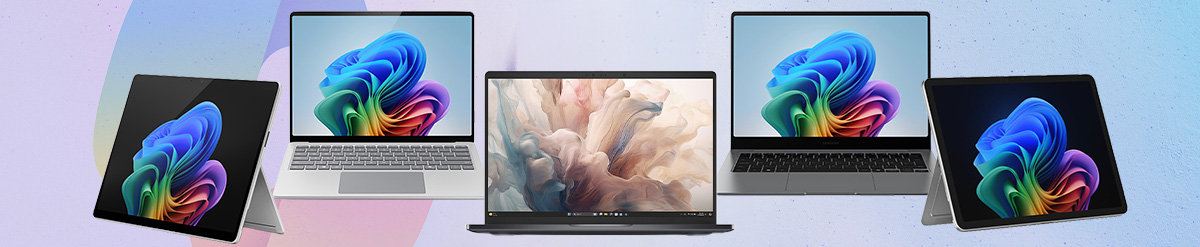
Also read: Top Copilot+ PCs You Can Lease Right Now

2. Graphic Design & Adobe Creative Cloud
Both platforms are strong here — but they win for different reasons.
Mac advantages:
- Consistently reliable performance in Illustrator and Photoshop
- Better display calibration and colour accuracy out of the box (handy for print and brand work)
Copilot+ PC advantages:
- A much larger hardware selection, from ultraportables to design and graphics laptops
- More upgrade and configuration options
- Better price-to-performance flexibility when you’re kitting out a whole team
Adobe apps now run well across both platforms, so this comes down to workflow, colour requirements, and budget rather than raw capability.
Verdict:
- Small creative teams → Mac
- Agencies scaling hardware fleets → Copilot+ PC
3. AI-Assisted Creativity (The Emerging Winner)
This is where Copilot+ PCs change the game.
Copilot+ PC strengths:
- Built-in AI tools for image generation, editing, and transcription
- On-device processing — no cloud delay, and more control over sensitive assets
- A dedicated NPU that handles AI tasks far more efficiently than the GPU, cutting power draw by up to roughly 80% for those workloads
That efficiency matters in practice: sustained AI tasks run cooler, quieter, and longer on battery when the NPU carries the load instead of the GPU. For teams that handle confidential client briefs, keeping generation and transcription on-device is a genuine privacy advantage.
Also read: NPU vs GPU for Local AI: What Matters When Buying AI Hardware
Mac strengths:
- The Apple Intelligence ecosystem and a capable Neural Engine
- Seamless hand-off across Mac, iPhone, and iPad
Verdict: Copilot+ PCs are leading in practical, everyday AI workflows right now — though Apple’s ecosystem advantage keeps it close for teams already all-in on Apple.
4. 3D, Animation & Rendering
Copilot+ PC wins clearly.
Why:
- Access to NVIDIA RTX GPUs, with the CUDA and OptiX acceleration most renderers are built around
- Strong compatibility with Blender, Unreal Engine, and 3ds Max
- No practical eGPU path on Apple Silicon, which caps how far a Mac can scale for GPU-bound rendering
Raw GPU compute still dominates rendering, and this is the workload where PCs — especially desktop workstations and high-end laptops — pull decisively ahead.
Verdict: Copilot+ PC for anyone doing serious 3D, motion, or rendering work.
5. Mobility & Remote Work
Mac wins here — for now.
- Longer battery life
- Consistent performance whether plugged in or not
- Quiet, cool operation
MacBooks have long led on real-world unplugged endurance. But Copilot+ PCs are catching up fast: 15–22 hours of battery is now realistic on Snapdragon-based models, and their ARM efficiency means many can genuinely last a full working day away from a charger.
Verdict: Still Mac, but the gap is shrinking fast.

The Bigger Picture: It’s About Workflow, Not Hardware
Here’s the reality:
- Windows dominates globally, at roughly 63% desktop market share (source: XtendedView)
- Macs remain hugely popular across creative industries
So most creative businesses are now hybrid by default — an editor on a MacBook Pro, a 3D artist on an RTX workstation, a design lead on a colour-accurate iMac, a comms person on a lightweight Snapdragon laptop.
The smartest teams don’t pick one platform. They pick the right tool for each workload.
How Leasing Changes the Mac-vs-PC Decision
If workflow beats hardware, then the way you acquire that hardware matters just as much as the spec sheet — and this is where buying outright quietly works against you.
Buy a fleet, and you’ve locked capital into a fixed bet on today’s technology. But AI hardware is moving fast: NPUs are getting more capable every generation, and the “right” device for an AI-heavy role in 2026 may look outdated by 2028. Owning it means you’re stuck with it.
Leasing flips that. It lets you:
- Mix platforms without over-committing. Put editors on Macs and 3D artists on RTX PCs in the same agreement, instead of standardising on one platform to simplify a purchase.
- Right-size per role. Match each person to the machine their workload actually needs, rather than the machine the budget rounded everyone down to.
- Refresh as the tech matures. Swap onto newer Copilot+ or Apple Silicon hardware as NPUs and media engines improve, so your team isn’t editing 8K on three-year-old kit.
- Spread the cost. Scale a creative team without a large upfront outlay, keeping cash free for the work itself.
With HardSoft’s Flexi-Lease, for example, you can upgrade or cancel after 12 months — so a hybrid Mac-and-PC fleet stays current instead of aging on your balance sheet.
If long-term value is the priority, Pure rental runs around 30% cheaper, and larger teams can manage everything centrally through Devices for Teams. Not sure which mix is right? You can build a custom quote around both platforms.

What This Means for IT Decision-Makers
For IT leads and business owners, this isn’t only about performance. It’s about:
- Cost control
- Scalability
- Lifecycle management
- Ongoing support
That’s where working with a provider like HardSoft makes the difference — you get the flexibility to run a genuinely hybrid fleet without the admin, cash-flow hit, or e-waste headache of owning it all outright.
Why Creative Teams Choose HardSoft
Instead of forcing a Mac-or-PC decision upfront, HardSoft helps you build a flexible strategy around both.
With HardSoft, you get:
- End-to-end lifecycle management, from procurement to refresh, via Boomerang
- Flexible leasing options to scale your creative team without upfront cost
- A one-stop shop for Apple and Windows devices, finance, software, and support
- Dedicated UK-based support when you need it, backed by tailored support plans
- 40+ years of industry experience, as an official Apple Partner, ISO 27001-certified and FLA-regulated
Key Takeaways
- Mac still dominates video editing and mobile creative work.
- Copilot+ PCs lead in AI-powered workflows and hardware flexibility.
- Windows has the edge in 3D, GPU-heavy workloads, and scalability.
- The gap between the two platforms is smaller than ever.
- Most creative businesses benefit from a mixed, hybrid environment.
- On-device AI (Copilot+) is fast becoming a deciding factor.
- Leasing lets you back both platforms — and refresh as AI hardware matures — without locking capital into one bet.
- The “best” choice depends entirely on your workflow.
Not Sure Which Is Right for Your Team?
Talk to HardSoft about building a tailored Mac and PC strategy that fits your creative workflows and budget.


Andrew Morgan is Co-Founder of HardSoft Computers, where he’s spent over 40 years driving innovation in tech leasing. With a focus on making IT solutions flexible and accessible, Andrew leads strategy across product development, SEO, and digital marketing.
He’s passionate about helping businesses thrive with the right technology and regularly shares insights on the HardSoft blog.
LinkedIn: Andrew Morgan
Email: andrew@hardsoft.co.uk