
Quick Summary
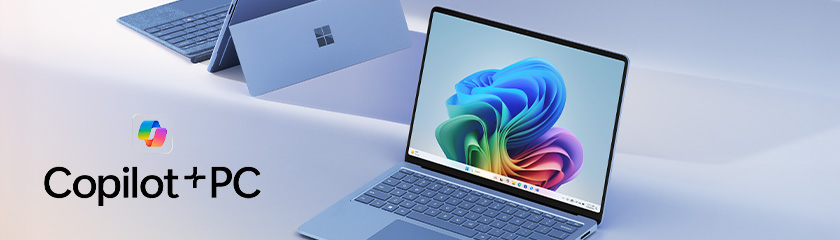
Copilot+ PCs are Microsoft’s newest generation of Windows laptops, built with dedicated AI hardware to deliver better performance, longer battery life, and smarter features. But upgrading isn’t a no‑brainer for every business.
This article walks you through five practical questions to help you decide whether a Copilot+ PC is right for your organisation, your users, and your budget, without technical jargon or marketing hype.
Introduction to Copilot+ PCs — What’s Different?
Copilot+ PCs are being positioned as the biggest change to Windows hardware in years.
According to Microsoft, these devices are designed to be “the fastest, most intelligent Windows PCs ever built”, with AI features running directly on the device instead of relying heavily on the cloud.
That sounds impressive but for IT teams and business owners, the real question is simpler: Will Copilot+ PCs genuinely improve how your team works day to day?
Let’s break it down.
1. Do You Understand What a Copilot+ PC Is?
Copilot vs Copilot+ PCs (easy to confuse)
This is where most confusion starts:
- Copilot is AI software that runs on most modern Windows PCs
- Copilot+ PC is a hardware category, not a subscription or app
To qualify as a Copilot+ PC, a device must include:
- A dedicated Neural Processing Unit (NPU) capable of 40+ TOPS
- 16GB RAM minimum
- 256GB SSD storage
- Windows 11 (latest versions)
That NPU allows AI features to run locally on the device, improving speed, battery efficiency, and privacy.
Why this matters for businesses
Local AI processing means:
- Faster response times
- Less reliance on internet connectivity
- Reduced cloud data movement
- Better battery life on mobile devices
If you’re refreshing devices through HardSoft’s flexible laptop leasing, this creates a clear new tier of future‑ready hardware.
2. Will Your Team Use the AI Features?
The reality checks most buyers skip
Copilot+ PCs unlock features such as:
- Live captions with real‑time translation
- Smarter Windows search (find files without exact names)
- AI‑assisted image creation in Paint and Photos
- Built‑in video call enhancements like background blur and noise reduction
These features run on the device’s NPU, rather than in the cloud.
But the key question is: Will your users benefit from these features or ignore them?


Where Copilot+ PCs deliver the most value
They’re particularly well‑suited to:
- Hybrid and remote workers
- Sales and customer‑facing teams
- Marketing and content roles
- Managers juggling emails, documents, and meetings
- Mobile users who care about battery life
Read more: The Most Useful Copilot+ PC Features You’ll Actually Use
3. How Old are Your Current Laptops?
This is a bigger upgrade than most refresh cycles
Microsoft states that Copilot+ PCs can be up to five times faster than typical five‑year‑old Windows devices, while also delivering all‑day battery life on many models.
In practical terms, that often means:
- Faster boot times
- Smoother multitasking
- Fewer complaints about slow performance
- Less time spent plugged in
If your estate includes laptops that are:
- 4–6 years old
- Struggling with Windows 11
- Showing declining battery health
…then Copilot+ PCs represent a genuine step change, not just a cosmetic upgrade.

4. Are You Buying Outright Or Leasing?
As a newer category, Copilot+ PCs carry a higher upfront cost than traditional laptops. Leasing helps spread that cost while keeping flexibility.
With HardSoft, leasing means:
- Predictable monthly pricing
- Easier refresh and upgrade paths
- The option to change or scale devices
- Ongoing UK‑based IT support
For many organisations, this reduces financial risk while still allowing access to the latest technology.
5. Is Now the Right Time Or Should You Wait?
Copilot+ PCs aren’t right for every role (yet)
Copilot+ PCs may not be ideal for:
- GPU‑heavy creative workloads
- High‑end gaming or specialist software
- Businesses already running recent Windows 11 hardware
- Organisations not planning a refresh within the next 12–18 months
A mixed device estate often delivers the best results:
- Copilot+ PCs for mobile and knowledge workers
- Standard Windows laptops for fixed or task‑specific roles
With 40+ years of experience and a 4.9★ Trustpilot rating, HardSoft helps organisations avoid over‑specifying while still planning for what’s next.
Key Takeaways
- Copilot+ PCs are defined by hardware, not just AI software
- They deliver the biggest benefits for mobile and collaborative roles
- Older laptops see the most noticeable improvements
- Leasing reduces risk and improves flexibility
- A blended estate is often the most cost‑effective approach

Frequently Asked Questions
Do I need a Copilot+ PC to use Microsoft Copilot?
No. Copilot runs on most modern Windows PCs. Copilot+ PCs unlock additional on‑device AI features.
Are Copilot+ PCs more secure?
Yes. Many AI tasks run locally, reducing reliance on cloud processing and improving data control.
Will Copilot+ PCs replace standard laptops?
Not immediately. They’ll sit alongside standard devices for different roles and use cases.
Are Copilot+ PCs worth it for small businesses?
They can be, especially when combined with flexible leasing, support, and lifecycle services.
Final Thoughts
Copilot+ PCs aren’t about chasing AI hype. They’re about choosing hardware that stays relevant for longer.
If you’re planning a refresh and want honest, role‑based advice, we can help you decide what to upgrade, what to keep, and what can wait. Speak to a HardSoft expert today.


Steve Hill has been a cornerstone of HardSoft since 2005, bringing two decades of experience in leasing Apple devices and delivering tailored tech solutions to businesses across the UK. As HardSoft’s go-to expert in cybersecurity, Steve specialises in Sophos and Barracuda software, helping clients safeguard their operations with confidence. Steve’s passion for tech, teamwork, and trusted solutions makes him a valued voice on the HardSoft blog.
LinkedIn: Steve Hill
Email: steve@hardsoftcomputers.co.uk
Tel: 0204 566 8856